Showing posts with label Books. Show all posts

Thursday, January 9, 2014

failure in design(er)

Yesterday evening, our recently purchased, lovely new couch arrived. Or, rather, the large boxes that contained our recently purchased, lovely new couch arrived. Suddenly, it was very clear what we gave up by not springing for "white glove delivery".

Not to fear, though. It came with instructions. My husband and I can both read and follow instructions.

Right?

Easier said than done, it turns out. These were certainly not the worst assembly instructions that I've ever seen, but they left a lot to be desired. Perhaps a very lucky or clever individual could get it right the first time (we were neither of those, as it turns out). But you'd have to know which details were important to pay attention to.

We had several false starts, turning the diagram round and round to say: Ah, now I get it! Wait, no, now the one frame piece is too long. Oh, now I see the problem. Oops, no, now the holes don't line up. After several such instances, we recognized that the bars in the frame are not equidistant apart (and it matters which two are closest together), we realized that two of the frame bars had four holes each and the third had two holes each and that the relative positioning of the bars with respect to one another is important, we learned that FX1 and GX1 are in fact not interchangeable (even though at the top they're shown with FX1 clearly on the left and GX1 on the right, but then below are less prominently switched).

Now that we've assembled the couch correctly (finally), we could do it again without breaking a sweat. We know exactly which are the important parts in the diagram to pay our attention. But why was it so difficult the first time around?

I'm in the middle of a book I'm enjoying, The Design of Everyday Things. In it, Donald Norman asserts that when you have trouble with things, you shouldn't blame yourself (even though that tends to be people's natural tendency). Rather, it's the fault of the design and you should blame the designer. While this book focuses mainly on product design, I think many of the insights are true in the data visualization space as well. In this case, the corollary is clear: if you are struggling to understand a visual representation of data, don't blame yourself; blame the designer. Odds are, they didn't adequately take your needs as the audience into account in their design process. For those designing visual displays of information, this is a reminder to always keep your audience in mind, for, as Donal Norman says, "well-designed objects are easy to interpret and understand."

I unabashedly blame the designer of the instruction diagram for our difficulty assembling something that could have easily been straightforward. If the designer had thought about the intended users and leveraged affordances to make it clear which details were important and should be paid attention to, my husband and I would have had a much less frustrating process assembling our (now truly lovely) couch.

What design issues cause you frustration? What can we learn from this to apply in the world of data viz?

Saturday, August 10, 2013

recommended reading: Data Points

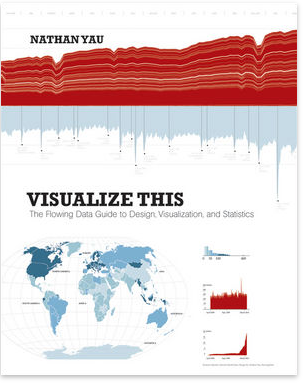
I've been a long-time fan of Nathan Yau and his work. He writes the popular (and prolific) blog, Flowing Data and published his first book, Visualize This, in 2011 (you can read my review of that book here).

Nathan's second book, Data Points, came out earlier this year. When a client of mine said the following -
"I've only read chapter 1 so far of Data Points, but it's the best chapter 1 on data vis I've read. He talks about the data being an abstraction for reality, and he uses his own wedding pictures to explain. Great idea, and great example."
I promptly ordered my copy and, upon arrival, consumed its contents. I must agree, this is a fantastic book. Moving beyond the aesthetics (it's the right size and has that sort of matte cover that just feels nice - one of the reasons an e-book will never satisfy me), the lessons are clearly articulated and well demonstrated through creative and varied examples.

In Data Points, Yau focuses on data visualization as a medium, rather than a tool, and discusses the importance of context when figuring out what the right medium will be (which he argues can run the gamut, from the informative to the entertaining). Rather than a narrow focus on the visualization step, Nathan spends a good portion of the book discussing the data itself and strategies for exploring and analyzing it. One example used early on effectively was based on car crash data: he showed how you can aggregate in different ways to highlight different aspects of the data - the difference if you show hourly vs. daily vs. monthly vs. annual data, with discussion on the specific context that might lead you to choose one view over the other.

When it comes to visualizing the data, Nathan breaks it down into four "working parts" -
  1. Visual cues - how you encode the data in things like shapes, sizes, and color; 
  2. Coordinate system - Cartesian vs. polar vs. geographic;
  3. Scale - linear, logarithmic, categorical, etc.; and
  4. Context - clarifying what values represent, explaining how people should read your visualization.
There is a good deal of explanation on each of these to make the concepts clear. Yau refers to the above as the ingredients and describes putting them together to get a complete visualization worth looking at. He says,
"To make the jump from data to visualization, you must know your ingredients. A skilled chef doesn't just blindly throw ingredients into a pot, turn the stove on high, and hope for the best. Instead, the chef gets to know how each ingredient works together, which ones don't get along, and how long and at what temperature to cook these ingredients."
If I had to find fault in this book, it would be that Yau's discussion of context is mostly limited to the context of the data and helping your audience understand your visual, than about the broader situational context and helping your audience understand how the data fits into something bigger. For me, this is the storytelling piece, the step that helps make the data visualization relevant.

Still, it was an excellent read that I would recommend without hesitation. It's a thorough and accessible overview of data exploration, analysis, and visualization. For those already familiar with this space, it serves as a good reminder of some of the things we should make sure to pause and think about as we are working with and visualizing data.

I found the book to be such a great overview, in fact, that I will be using it as one of my required texts in Introduction to Information Visualization, which I'll be teaching in MICA's MPS in Information Visualization this fall.

You can purchase Data Points in the storytelling with data bookstore.

Wednesday, December 12, 2012

the functional art

It's a little beat up and has scraps of paper sticking out in various directions marking pages I want to refer back to: it's my copy of the functional art by Alberto Cairo, and it's been everywhere with me over the past month - from LA to DC to Milwaukee, and several places in between (yes, that probably means I'm a slow reader). I finished it on my latest plane ride home. In a word: it was awesome.

As the subtitle declares, the focus of the book is information graphics and visualization. Alberto has a conversational, super accessible writing style. His research is augmented with his extensive experience in data journalism and the book is filled with illustrative stories and examples. the functional art begins with a section on Foundations - what visualization is and does, the importance of building a narrative structure, and introduces a visualization wheel to evaluate competing priorities. It then moves into Cognition - discussion of the eye, the brain, and how people see. The third section focuses on Practice - the infographic creation process and interactive graphics. While I enjoyed the entire book, the final section, Profiles, was my personal favorite - it recaps Alberto's interviews with various practitioners working with infographics. I also enjoyed examining the various examples throughout the book and seeing the progression from sketches to final product.

The book was inspiring, as is Alberto's work in general. I had the pleasure of speaking with him a couple of months ago, when he was getting ready to launch the first massive online course on an Introduction to Infographics and Data Visualization through the Knight Center. This 6 week course filled up quickly, so a second was recently announced that begins in January (details here). Alberto also teaches at the University of Miami and blogs at www.thefunctionalart.com. His passion in this space is clear and from what I've seen, permeates through all that he does.

For those interested in infographics or data visualization in general, I highly recommend the functional art; you can purchase a copy of it here.

Thursday, September 1, 2011

visualize this

Nathan Yau writes one of my favorite data visualization blogs, FlowingData. His recently published book has been sitting on my shelf untouched for much too long. Earlier this week, I decided to remedy that.

His book is Visualize This. Subtitle: The FlowingData Guide to Design, Visualization, and Statistics. It's written in the first person and is super accessible, full of examples and anecdotes to make the lessons real. The book includes references to a lot of publicly available data and also has links to each dataset used, so the reader can follow along through the steps that are explained.

After starting with an introduction on telling stories with data (obviously near and dear to my heart), the book jumps into the practical question of how. There are step by step instructions for scraping data from websites, using Python to reformat it, and the strengths and weaknesses of various out of the box applications and programming languages for analyzing and visualizing data.

By his own words, Nathan's book is "example-driven and written to give you the skills to take a graphic from start to finish." It accomplishes this goal. The middle chapters each focus on a different kind of visualization problem: visualizing patterns over time, visualizing proportions, visualizing relationships, spotting differences, and visualizing spatial relationships. Yau follows a thorough, hands on approach. For example, in the chapter focused on time series, he goes through what to look for, the best types of graphs to use in different scenarios, how to load the data into and plot in R, and how to fine tune the visual using Illustrator. Relevant statistical methods are incorporated as makes sense, for example, smoothing and estimation.

While there is some very solid foundational material, the majority of the book is focused on the practical question of how to actually analyze and visualize the data. It seemed to me most tailored to the person who is looking to move beyond Excel and the like and get started using R and Illustrator (with some time devoted to interactive graphics as well).

Throughout, Nathan's graphics are beautiful and accessible - great examples of effective data visualization. He follows the rules he sets forth in every one:

  • explain encodings,
  • label axes,
  • keep your geometry in check,
  • include your sources, and
  • consider your audience.

The final chapter focuses on designing with a purpose. He says he always assumes that people are showing up to his graphics blindly and puts the onus on himself as the designer to prepare the audience with the relevant context and insights. "After you learn what your data is about, explain those details in your data graphic. Highlight the interesting parts so your readers know where to look. A plain graph can be cool for you, but without context, the graph is boring for everyone else."

Well said, Mr. Yau!

Friday, April 29, 2011

beautiful visualization

I have a growing collection of books on the topic of data visualization. I seem to accumulate them more quickly than I can read them. But every once in a while I have an opportunity (an uninterrupted hour or two) to narrow the gap. I encountered one such occasion this afternoon. I had checked all of my to dos off my to do list and decided to give my eyes a break from the computer screen to look at actual physical pages for a bit. My eyes appreciated the change in visual medium; my brain appreciated the content.


The book I occupied myself with is called Beautiful Visualization: Looking at Data Through the Eyes of Experts. It's a collection of writings on various topics from experts in the field of infoviz. Some of the names I am familiar with (Jonathan Feinberg has a section on Wordle, Aaron Koblin and Valdean Klump do a deep dive on flight patterns, Martin Wattenberg and Fernanda Viegas write about visualizing Wikipedia), but many are new. For my afternoon reading, I chose two from this latter category.

The first (which, technically is the last, at least in the order in which the book is written) is Jessica Hagy. Interestingly, finding her name in this book was the second time I encountered her work today. I had lunch with a connection from one of my speaking events and we were chatting about our favorite blogs; one of hers is Indexed, written by Jessica Hagy. The blog consists of a daily posting of an index card, on which Jessica has drawn a clever (and often quite amusing) visual display of data. It might be my new favorite blog. In Beautiful Visualization, Jessica uses this same style to discuss the ever increasing amount of data in our world and the power of images to make that data more accessible in a much faster way than words can. If you want to understand the parallel between an elephant and visualization, you need to read the book (the likeness is uncanny!).

After starting at the end of the book (very unlike me, by the way, I typically do everything in order), I went back to the beginning. The first section, by Noah Illiinsky, is titled On Beauty. By his definition, a beautiful data visualization is one which is novel, informative, efficient, and aesthetic. His guidance on how to achieve this is as follows (descriptions are in my own words except where noted and highly condensed):
  1. Step outside default parameters. My favorite line from this section (actually, from everything I read): In most situations, well-defined formats have well-defined rational conventions of use: line graphs for continuous data, bar graphs for discrete data, pie graphs for when you are more interested in a pretty picture than conveying knowledge. (Making fun of ineffective pie charts pretty much speaks directly to my heart!). His point here is that to be beautiful, a visual must be novel and create shock and awe. I'm not sure I agree with this sentiment, but more on that in a bit.
  2. Make it informative. I certainly can't argue against this one. Noah says that a clear understanding of message and the needs of the audience are key here (um, yes). If you can't state those concisely, you're nowhere near the point of trying to put together a visual.
  3. Make it efficient. Every bit of visual content will make it take longer to find any particular element of the visualization. In Duarte language, this is the step where you dial up the signal and dial down the noise. Visually emphasize what matters and get rid of the stuff that doesn't or push it to the background so it doesn't distract.
  4. Leverage the aesthetics. Use the basic components of the graph (titles, axes, etc.) to increase the utility of the visualization. Make the visual something that's comfortable for your audience to look at. They're more likely to look at it.
My one hesitation with the above is the first rule. In some cases shock and awe is good, but I think whether or not that is a necessary condition for a beautiful visualization is highly context dependent. Perhaps it's my penchant for bold, blue bar graphs, but in business communication, I generally find simple graphics to be the most beautiful (perhaps due to their relative rarity?). Though I suppose in reality what I'm generally aiming for is not beauty, but rather effectiveness. In that case, my personal spin on the above would be to say that necessary conditions of an effective visual display of data are that it must be informative, efficient, and aesthetic.

It's certainly great food for thought. I'm looking forward to the remaining 18 sections!